Install guide
Build a wholesale line sheet from your BigCommerce products. Send buyers one link that stays current.
1. Install
Install it from the BigCommerce App Marketplace and approve access. It reads your products, categories and currency, and can't change your store. It opens under Apps.
2. Make your sheet
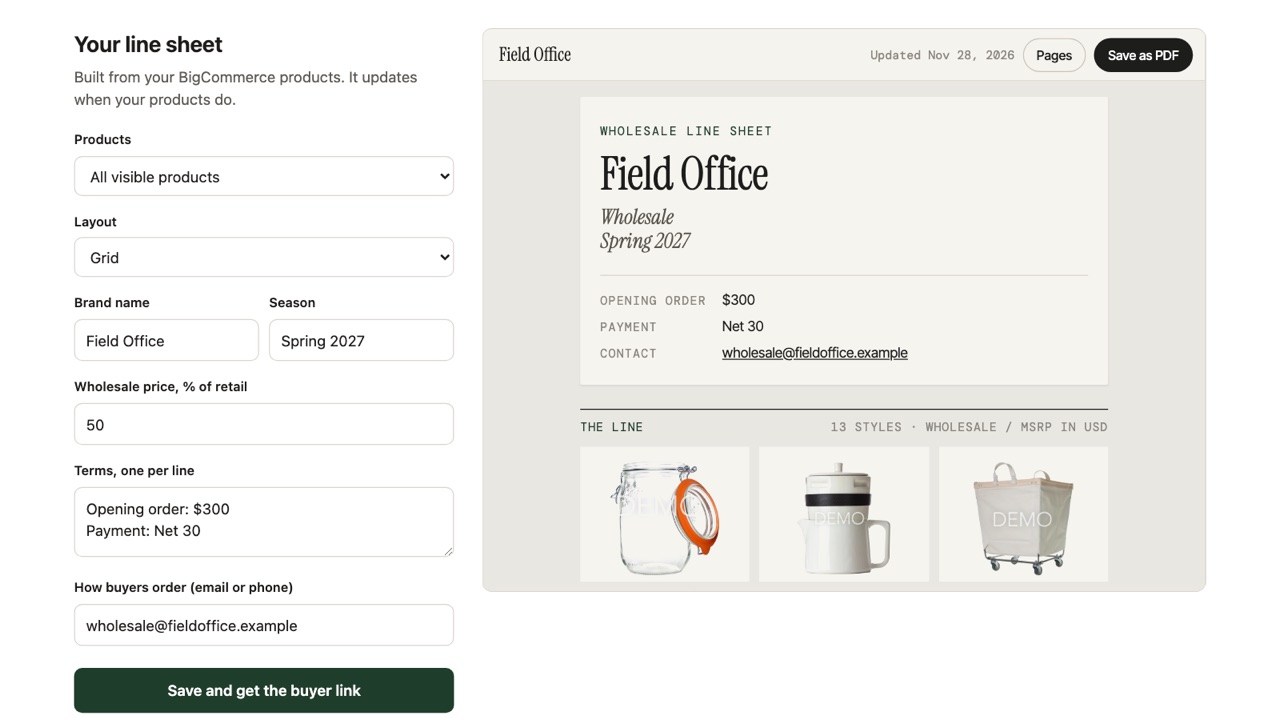
- Products: all visible products, or one category.
- Layout: Grid, Lookbook (big photos), Tear sheet (one product per page) or Order form (buyers fill in quantities).
- Brand name and Season head the sheet.
- Wholesale price: one % of retail for every product (50 is half price). For one product's own price and minimum: in your control panel's Products list, open the product, add the custom fields
wholesale_price(such as18.00) andmin_units(such as6), untick Visible on Storefront on both so shoppers don't see them, and save. Its own price replaces the %. - Terms: one per line, such as
Opening order: $300andPayment: Net 30. - How buyers order: your email or phone.
- Press Save and get the buyer link, then Copy link.
3. Send it
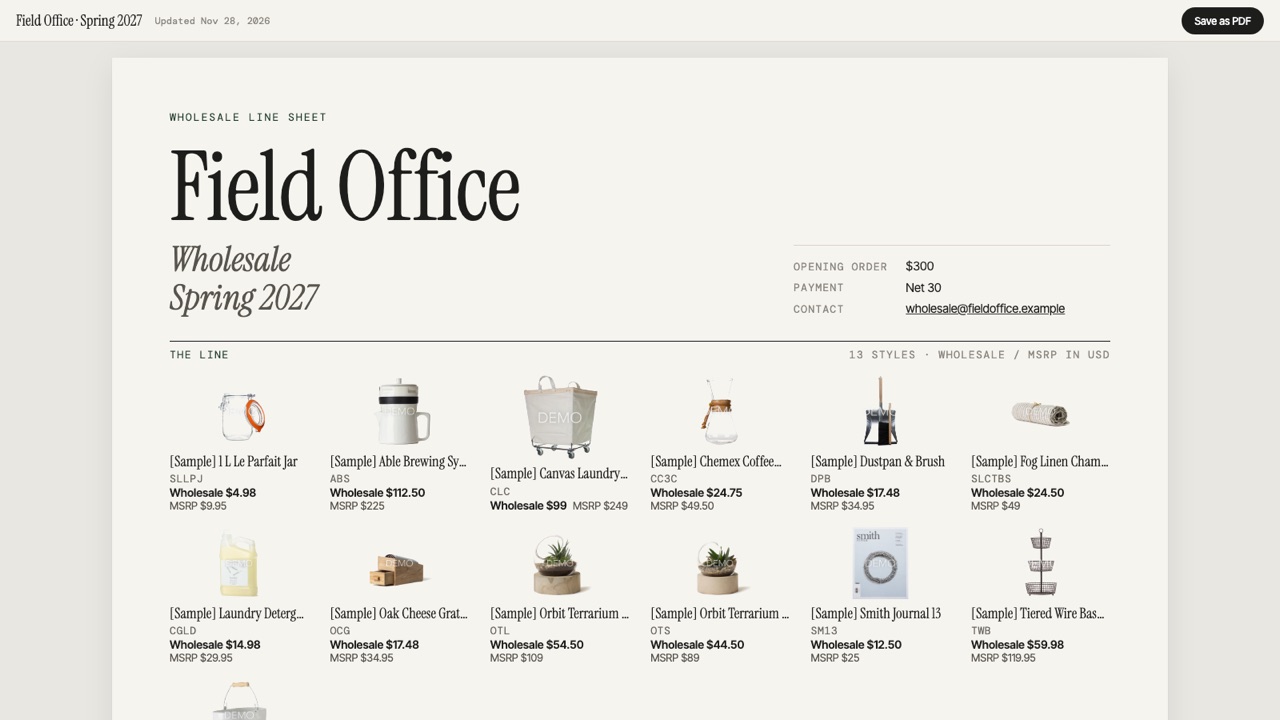
Send the link to buyers. They need no account, and anyone with the link can view the sheet, so share it only with buyers. They can save it as a PDF. Edits show on the same link within a few minutes.
Uninstalling
Uninstalling removes the app, your store's connection and your sheet, and the buyer link stops working. Your products are untouched. Custom fields you added stay until you remove them.
Questions: hello@linesheetstudio.app